
トラブルシューティング
Sponsored Brand が表示されない
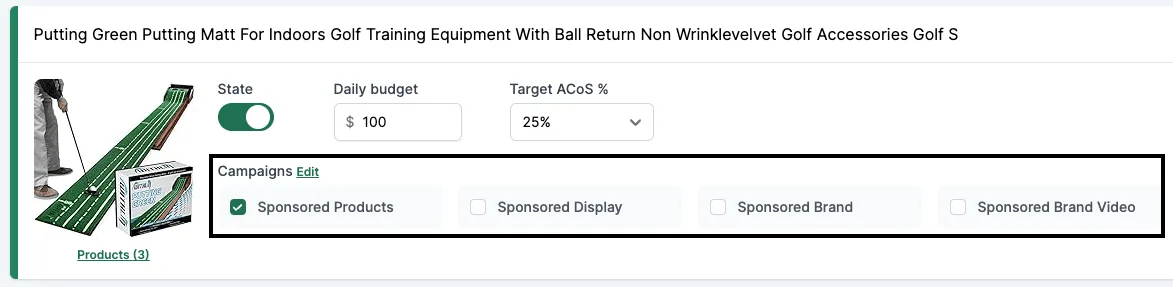
これらのチェックボックスが表示されない場合、Brand Registry に何らかの問題があるためです。過去に SD や SB キャンペーンをすでに配信したことがあっても起こり得ます。原因は複数考えられるので、すべて確認してください。
原因 #1:Brand Registry の問題
- https://brandregistry.amazon.com に進みます。
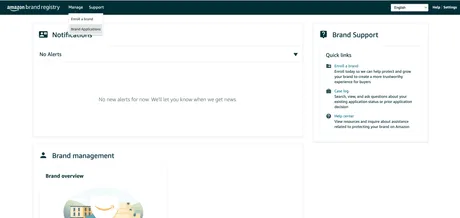
- ステータスが「Registered(登録済み)」で、警告がないことを確認します。
- 問題が見つかった場合は、Seller Central サポートに連絡し、「Brand registry」を選びます。
原因 #2:LBR ノードが欠けている
あるいは、LBR ノードが欠けている可能性があります。
- https://advertising.amazon.com/contactus に進みます。
- 次のメッセージでチケットを送ります。
I’m a seller with a registered brand in Brand registry; however, I am not able to get my brand through GET /brands. The root cause is that the brand is missing a LBR node, please help create a LBR node for this brand.
- Brand name: [REPLACE]
- ASIN URL / External Product URL (with brand on the product or packaging): [REPLACE]
- Marketplace: [REPLACE]
- Brand Website URL: [REPLACE]
- Registered Trademark ID: [REPLACE]
- Registered Trademark certificate file: [PDF ATTACHED]
当社サポートに問い合わせる
まだ問題が解決しない場合は、次の情報を添えて当社サポートにご連絡ください。
- すべてのブランドが「Registered」ステータスになっている Brand registry ダッシュボードのスクリーンショット。
- Seller Central で開いたケースの、あなたの質問と Amazon から受け取った回答が写っているスクリーンショット。
- Brand name: [REPLACE]
- ASIN URL / External Product URL (with brand on the product or packaging): [REPLACE]
- Brand Website URL: [REPLACE]
- Registered Trademark ID: [REPLACE]
- Registered Trademark certificate file: [PDF ATTACHED]
当社が Amazon Ads サポートに別のケースを開きます。数週間かかる場合があります。