
Risoluzione dei problemi
Sponsored Brands mancanti
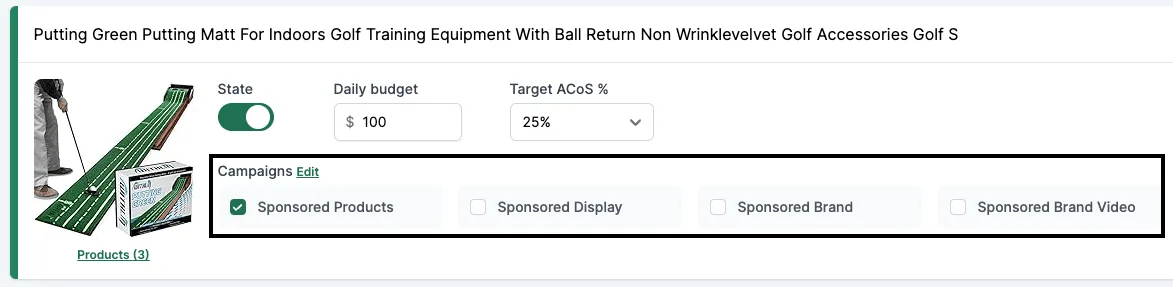
Se non vedi queste caselle, è perché c’è un problema con il Brand Registry. Può succedere anche se in passato hai già lanciato campagne SD o SB. Le cause possono essere diverse, quindi controllale tutte.
Motivo #1: problemi con il Brand Registry
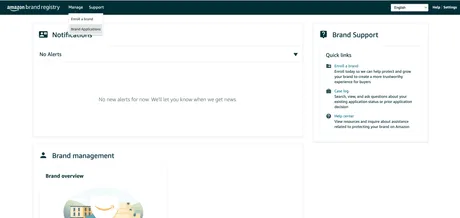
- Vai su https://brandregistry.amazon.com.
- Verifica che lo stato sia “Registered” e che non ci siano avvisi.
- Se trovi problemi, contatta il supporto di Seller Central e scegli “Brand registry”.
Motivo #2: manca il LBR node
In alternativa, potrebbe mancare il LBR node.
- Vai su https://advertising.amazon.com/contactus.
- Invia un ticket con il seguente messaggio:
I’m a seller with a registered brand in Brand registry; however, I am not able to get my brand through GET /brands. The root cause is that the brand is missing a LBR node, please help create a LBR node for this brand.
- Brand name: [REPLACE]
- ASIN URL / External Product URL (with brand on the product or packaging): [REPLACE]
- Marketplace: [REPLACE]
- Brand Website URL: [REPLACE]
- Registered Trademark ID: [REPLACE]
- Registered Trademark certificate file: [PDF ATTACHED]
Contatta il nostro supporto
Se non hai ancora risolto il problema, scrivi al nostro supporto e includi:
- Screenshot della dashboard del Brand registry con tutti i brand in stato “Registered”.
- Screenshot del caso aperto in Seller Central che mostra la tua domanda e la risposta ricevuta da Amazon.
- Brand name: [REPLACE]
- ASIN URL / External Product URL (with brand on the product or packaging): [REPLACE]
- Brand Website URL: [REPLACE]
- Registered Trademark ID: [REPLACE]
- Registered Trademark certificate file: [PDF ATTACHED]
Apriremo un altro caso con il nostro supporto Amazon Ads e potrebbero volerci alcune settimane.