
Solución de problemas
Sponsored Brands que no aparecen
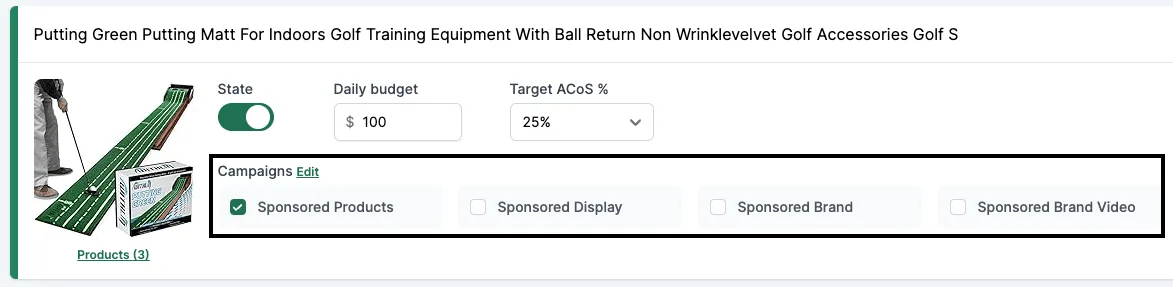
Si no ves estas casillas, es porque hay algún problema con el Brand Registry. Esto puede pasar aunque ya hayas lanzado campañas SD o SB en el pasado. Puede haber varias causas, así que revísalas todas.
Motivo #1: Problemas con el Brand Registry
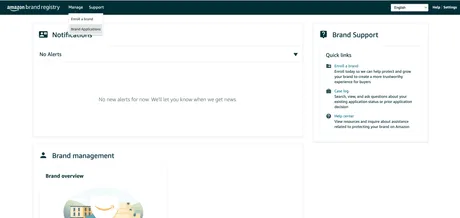
- Ve a https://brandregistry.amazon.com.
- Comprueba que el estado sea “Registered” y que no haya advertencias.
- Si encuentras problemas, contacta con el soporte de Seller Central y elige “Brand registry”.
Motivo #2: Falta el LBR node
Otra posibilidad es que falte el LBR node.
- Ve a https://advertising.amazon.com/contactus.
- Envía un ticket con el siguiente mensaje:
I’m a seller with a registered brand in Brand registry; however, I am not able to get my brand through GET /brands. The root cause is that the brand is missing a LBR node, please help create a LBR node for this brand.
- Brand name: [REPLACE]
- ASIN URL / External Product URL (with brand on the product or packaging): [REPLACE]
- Marketplace: [REPLACE]
- Brand Website URL: [REPLACE]
- Registered Trademark ID: [REPLACE]
- Registered Trademark certificate file: [PDF ATTACHED]
Contacta con nuestro soporte
Si aún no has resuelto el problema, escribe a nuestro soporte e incluye:
- Captura del panel del Brand Registry donde todas las marcas están en estado “Registered”.
- Captura del caso abierto en Seller Central que muestre tu pregunta y la respuesta recibida de Amazon.
- Brand name: [REPLACE]
- ASIN URL / External Product URL (with brand on the product or packaging): [REPLACE]
- Brand Website URL: [REPLACE]
- Registered Trademark ID: [REPLACE]
- Registered Trademark certificate file: [PDF ATTACHED]
Abriremos otro caso con nuestro soporte de Amazon Ads y puede tardar unas semanas.