
FAQ
Archive obsolete products
If you permanently remove a Parent ASIN (and all its variants) from your Amazon catalog, you can archive the campaign group by going to Advigator > Settings > Archive products.
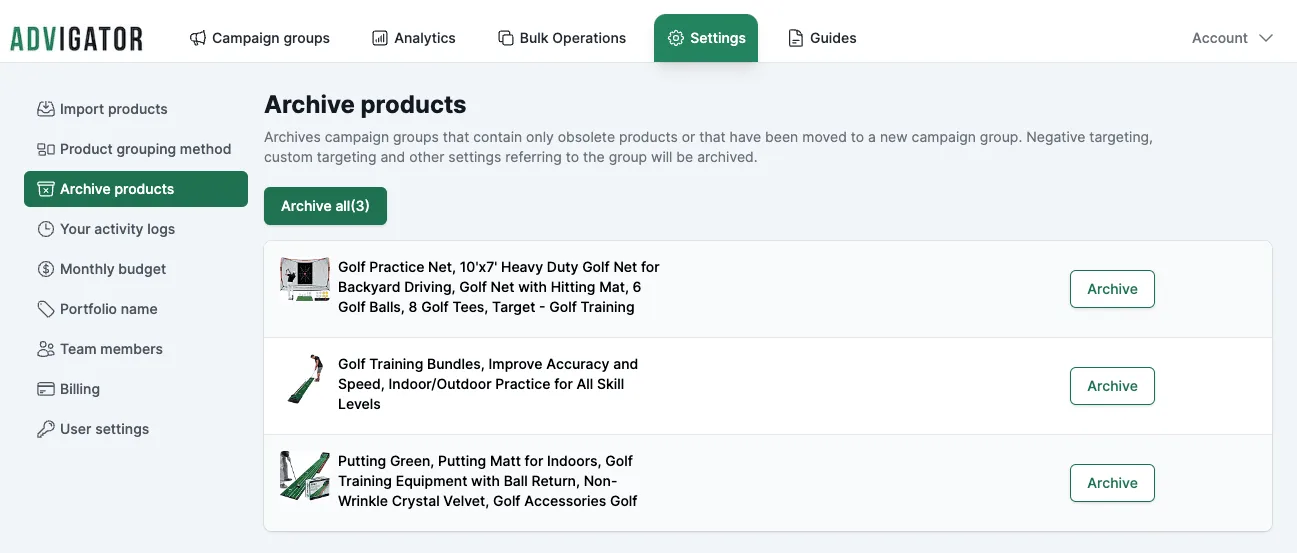
If you archive just one child ASIN, the campaign group will be kept to preserve the historical data used by the other variants in the group.
To replace a single campaign instead, for example one that has reached Amazon’s limit of 10,000 negatives, see Archive a campaign.
Want to start fresh by resetting your data?
Archiving a campaign doesn’t delete historical data because we use this information to set appropriate bids per click for new campaigns. However, if you feel that the bids per click are too low because the product hasn’t been converting well, you could:
- Adjust the Target ACoS to change the bids per click, allowing new data to refine future estimates.
- For a full reset, archive the Parent ASIN on Amazon and update the catalog in Advigator (Settings > Import Products) and start a new campaign group.