FAQ
Different payment methods per Amazon accounts
Let’s say you want a different payment method for each Amazon account.
For example, you want a setup like this:
| Amazon Account | Payment method |
|---|---|
| My Store A - US | Mastercard - **** 1234 |
| My Store B - EU | Visa - **** 1234 |
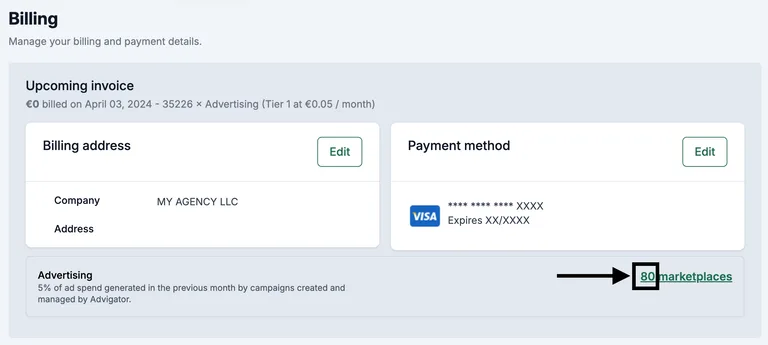
- Add the payment method by going to Advigator > Settings > Billing.
-
By default, the payment method is linked to all the Amazon accounts you manage. Click here to see which ones are linked.
-
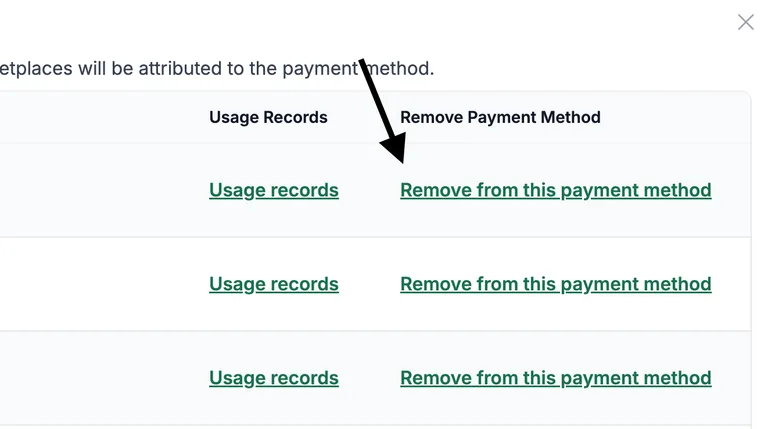
Remove the Amazon accounts that you don’t want to pay with this payment method.
-
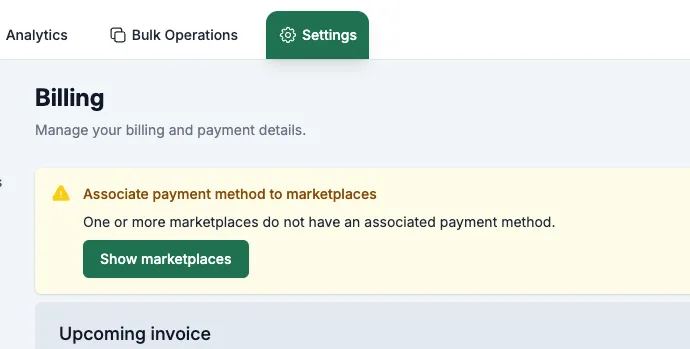
Refresh the page or go back to Advigator > Settings > Billing. You’ll see this alert because there are now marketplaces without an associated payment method.
-
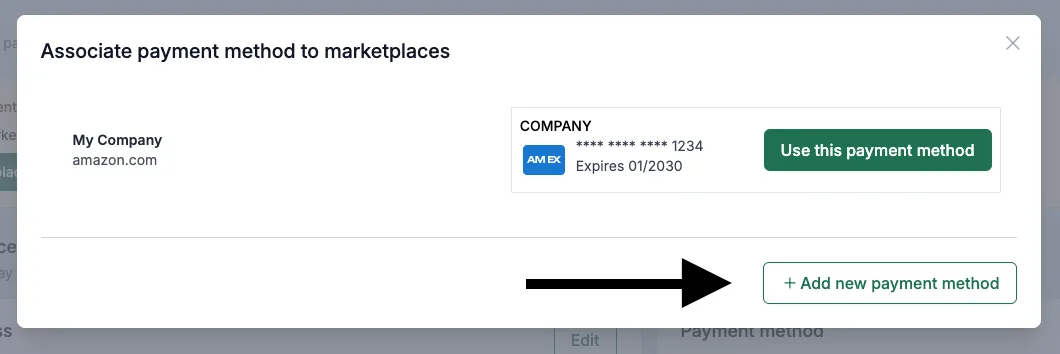
Add a new payment method.